
Screen Recorder5.0 - Get APK
Please wait ... Your download link is being verified for malicious content.
You'll be able to download in few seconds.
You'll be able to download in few seconds.
Publisher Description


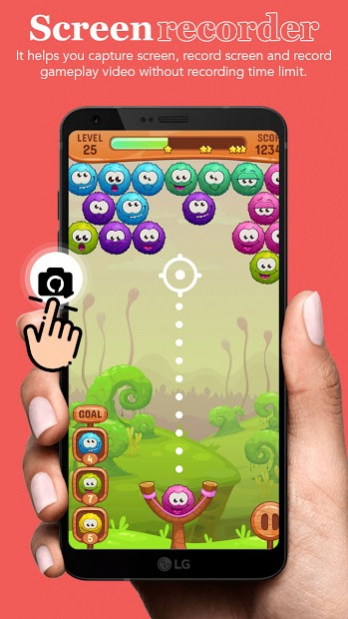

* Capture highlights in one tap! Vidma Recorder is an all-in-one free screen recorder and video editor! Use Vidma Screen Recorder to record video without a time limit! Record and share your videos with Vidma Screen Recorder!
* Screen Recorder is not only stable and powerful. But its user interface is also carefully designed. The modern and clean UIs of Screen Recorder makes it fluent and enjoyable to use. With Screen Recorder, you can record your screen & capture mobile video & play recorded video & share screencasts anytime anywhere. Come to record screen and enjoy a better life!
* Video recording with handy screen capture tool 🥳
-> Enable the floating window to start screen recording quickly
-> Hide record window during screen recording
-> Stop video recording by shaking the phone
-> Capture screenshots using Vidma Screen Recorder
* Feature:
-> Free screen recorder in high quality (1080p, 60fps)
-> Screen recorder with audio: Screen recording videos with or without sound
-> Video recorder without lag: Record screen smoothly on Android devices
-> Video recorder without root: No need to root for screen recording
-> Screen record and share your recordings with friends
-> Export your videos and edit with professional editing apps
Note:
-> Internal sound recording is only available for the Android Q system and above.
-> Recording shows a black image? Some apps may disable the screen recording feature by blacking out the portion of the screen recorder app out of copyright and privacy concerns.
-> Be mindful that two applications can't use the microphone simultaneously. If another app is using the microphone, recorded videos in Vidma Screen Recorder will be muted.
Disclaimer:
-> Vidma Screen Recorder is not associated with any social media platforms.
-> The features of Vidma Screen Recorder are offered for non-commercial and personal use only.
-> Users shall be solely responsible for any intellectual property infringement arising from the screen recording.
-> Vidma Screen Recorder will never collect personal files from users without permission. All the recorded files are saved locally on your device. Neither we nor any third-party can access them.
Thank you..!!!!
About Screen Recorder
Screen Recorder is a free app for Android published in the System Maintenance list of apps, part of System Utilities.
The company that develops Screen Recorder is GPE-BEP. The latest version released by its developer is 5.0.
To install Screen Recorder on your Android device, just click the green Continue To App button above to start the installation process. The app is listed on our website since 2021-06-12 and was downloaded 0 times. We have already checked if the download link is safe, however for your own protection we recommend that you scan the downloaded app with your antivirus. Your antivirus may detect the Screen Recorder as malware as malware if the download link to com.bitsolution.screenrecorder is broken.
The company that develops Screen Recorder is GPE-BEP. The latest version released by its developer is 5.0.
To install Screen Recorder on your Android device, just click the green Continue To App button above to start the installation process. The app is listed on our website since 2021-06-12 and was downloaded 0 times. We have already checked if the download link is safe, however for your own protection we recommend that you scan the downloaded app with your antivirus. Your antivirus may detect the Screen Recorder as malware as malware if the download link to com.bitsolution.screenrecorder is broken.
How to install Screen Recorder on your Android device:
- Click on the Continue To App button on our website. This will redirect you to Google Play.
- Once the Screen Recorder is shown in the Google Play listing of your Android device, you can start its download and installation. Tap on the Install button located below the search bar and to the right of the app icon.
- A pop-up window with the permissions required by Screen Recorder will be shown. Click on Accept to continue the process.
- Screen Recorder will be downloaded onto your device, displaying a progress. Once the download completes, the installation will start and you'll get a notification after the installation is finished.
Program Details
System requirements
Operating systems
Android
Download information
File size
37.7 MB
Total downloads
0
Pricing
License model
Free
Price
Version History
Here you can find the changelog of Screen Recorder since it was posted on our website on 2021-04-27. The latest version is 5.0 and it was updated on Apps112 on 10 October, 2026. See below the changes in each version:
version 5.0
posted on 2021-06-12
version 1.0
posted on 2021-04-09
Download Screen Recorder now to enjoy Full HD quality screencasts
Disclaimer
External Download
We do not host Screen Recorder on our servers. We did not scan it for viruses, adware, spyware or other type of malware. This app is hosted by Galad and passed their terms and conditions to be listed there. We recommend caution when installing it.
The APK Download link for Screen Recorder is provided to you by apps112.com without any warranties, representations or guarantees of any kind, so access it at your own risk.
If you have questions regarding this particular app contact the publisher directly. For questions about the functionalities of apps112.com contact us.
